



SEE XGUN IN ACTION
See a different way to play
Watch XGUN in action. Tap for a full-screen view.


XGUN / MAKE THE NEXT SESSION DIFFERENTPick your game
Pick your game
Get into the action
A desk session after work. A campaign on the big screen. A game night with your player two. XGUN brings familiar controls, physical aiming and tactile feedback into the games you love — in a compact format or the bigger rifle-style Pro.
- Transforming controller
- Physical screen aiming
- Six-axis motion control
- Recoil feedback
- XGUN & rifle-style Pro
- Both versions in stock
XGUN / ONE CONNECTED CONTROLLER
From gamepad to gun-style hold

Start with the controls facing you in a familiar two-handed gamepad hold. Pivot the connected grips into the gun-style position — right hand at the rear, left hand forward — and aim toward the screen.

XGUN AT YOUR DESKYour desk
Your desk
A fresh way to play
Finish the day. Open a favourite game. Pick up something that changes how the session feels. Compact XGUN keeps sticks and buttons within reach, with a connected gun-style hold that makes aiming a physical part of the game.
- Compact format
- Familiar movement controls
- Hands-on aiming
- Mechanical recoil
From the desk to the action
Cyberpunk 2077 in the photograph. Days Gone in the real demo below. A familiar gaming setup, with a different way to play.
XGUN / REAL GAMEPLAY
Real desk play: Days Gone

The compact controller in a real PC session. Watch the physical movement and the aim on screen together.

XGUN PRO GAME NIGHTBring more
Bring more
to game night
That moment when a friend picks it up and says, “Let me try.” The larger rifle-style Pro makes the controller itself part of the occasion. Settle in front of the TV and enjoy a more involved way to hold, aim and play.
- Larger rifle-style format
- A two-handed hold
- Big-screen experience
- Gamepad inputs close at hand
The Pro experience
The larger physical format brings a rifle-style hold to your gaming session, with movement controls and action buttons within reach.
XGUN PRO / REAL GAMEPLAY
See the larger format: Call of Duty

The rifle-style controller brings a bigger two-handed hold to a real Call of Duty session. Familiar inputs remain part of the experience.

XGUN & YOUR PLAYER TWOBetter with
Better with
your player two
One sofa. One big screen. Two players in the action at the same time. Pick up a controller each, choose split-screen and turn an ordinary evening at home into a shared gaming session.
- Two players together
- One sofa • One screen
- One controller each
- Split-screen action
Play together on the same screen
The split-screen scene shows Left 4 Dead 2. Both players have their own view and their own connected XGUN controller, so you can play simultaneously.
XGUN / REAL GAMEPLAY
A sofa session: Remnant II

Sit back with a supported game and a suitable display. This real clip shows the compact controller used from the sofa.

XGUN PRO CAMPAIGN NIGHTSGet closer
Get closer
to the action
Lower the lights. Return to the world you left last night. With the larger Pro in your hands, aiming becomes part of the moment on screen. The rifle-style hold and physical feedback give a familiar campaign a more tactile, involved character.
- Rifle-style hold
- Physical aiming
- Tactile feedback
- A cinematic TV session
See Metro Exodus in the real clip
Watch the controller and the game together. The hands move, the aim changes and the action stays on your own screen.
XGUN PRO / REAL GAMEPLAY
Campaign night: Metro Exodus

A real rifle-style demo from a campaign session. Move the controller to bring physical aiming into the action.

XGUN FROM YOUR VIEW
Aim with your hands
Right hand on the rear grip. Left hand on the forward grip. One connected controller aimed at the screen, with familiar movement and action controls still available. The physical hold puts your hands into the session.
- Two connected grips
- Familiar sticks & buttons
- Hands-on aiming
- Recoil feedback
One controller, two ways to hold it
Use the front-facing gamepad hold, then pivot the grips into the gun-style position. The controller stays one connected device.
XGUN / REAL GAMEPLAY
Hands-on aiming: Cyberpunk 2077

See the compact controller in a real Cyberpunk 2077 session. Familiar sticks and buttons remain available alongside physical aiming.

FEEL THE ACTIONMore than
More than
a moment on screen
The built-in recoil motor adds physical feedback to shooting. You see the action on your display and feel it through the controller in your hands, giving the session a more tactile character.
- Built-in recoil feedback
- Feel shots in your hands
- A more involved session
- Familiar controls alongside aiming

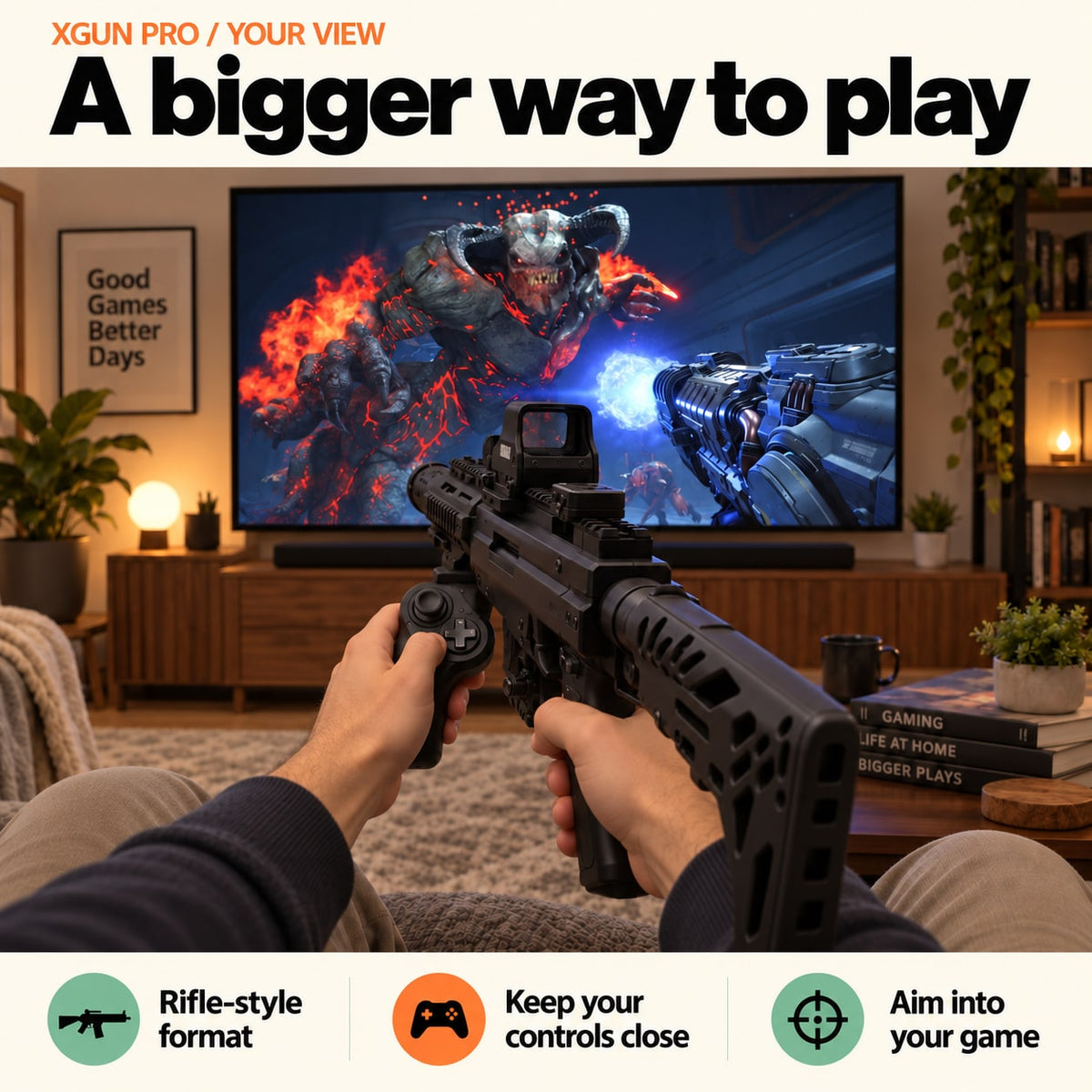
XGUN PRO FROM YOUR VIEWA bigger way
A bigger way
to play
See it from your own seat: a larger rifle-style controller, your hands on the inputs and a favourite world filling the screen. Pro is for the player who wants the bigger physical format to be part of their setup.
- Larger Pro format
- Controls in the grip
- Screen-based gaming
- Hands-on immersion
Get into a familiar world
The photograph brings DOOM Eternal into a home setup. Choose your favourite game and settle into the larger Pro hold.
XGUN PRO / REAL GAMEPLAY
Zombie action: Left 4 Dead 2

Watch a real large-screen session using the rifle-style controller. This is an example from the game library, not its limit.
SET UP YOUR NEXT SESSIONConnect and calibrate
Connect and calibrate
Find your feel
Connect the controller to your gaming setup, follow the on-screen calibration instructions, then adjust the controls and sensitivity for your game.
Connect your controller
Use the connection mode for your platform and configure movement and action inputs.
Follow on-screen calibration
Use the calibration screen and the instructions supplied with your controller to align physical aiming with your display.
Open your game
Test aiming, movement and actions, then tune sensitivity until the session feels right for you.
FIND YOUR NEXT GAMEYour favourite games
Your favourite games
A new way to play
From iconic campaigns to co-op nights and online shooters, explore some of the games you can play with XGUN. This is a selection — there are more games beyond this list.
 Counter-Strike 2
 VALORANT
 Call of Duty: Black Ops 7
 Battlefield 6
 Apex Legends
 Rainbow Six Siege X
 Overwatch
 DOOM: The Dark Ages
 Escape from Tarkov
 THE FINALS
 Call of Duty: Warzone
 DOOM Eternal
 Titanfall 2
 Metro Exodus
 S.T.A.L.K.E.R. 2: Heart of Chornobyl
 Halo Infinite
 Destiny 2
 Delta Force
 Hunt: Showdown 1896
 Ready or Not
 Insurgency: Sandstorm
 Hell Let Loose
 Squad
 Deep Rock Galactic
 Warhammer 40,000: Darktide
 Left 4 Dead 2
 Half-Life 2
 Half-Life: Alyx
 Black Mesa
 ULTRAKILL
and more
Supported platforms
 PC
 Mac
 PlayStation
 Xbox
 Nintendo
FREQUENTLY ASKED QUESTIONSA few answers
A few answers
before your first game
Is XGUN a gamepad or a light gun?
It combines familiar gamepad controls with a mechanically transforming gun-style hold, with physical and motion-based aiming modes.
Can I still move my character and use menus?
Yes. Sticks, directional controls, action buttons and triggers remain part of the controller. Configure these inputs for your game.
How does the controller transform?
The connected grips pivot from the front-facing gamepad configuration into the gun-style hold. You change how you hold the same device.
What is the difference between optical aiming and gyro aiming?
Optical aiming aligns your aim with the display. Gyro aiming responds to controller movement. Follow the supplied setup instructions for the mode you choose.
Does it have recoil feedback?
Yes. The built-in recoil motor adds physical feedback to the shooting experience.
Do I need software on PC?
For PC aiming, follow the included instructions to install the controller software and configure the game profile.
Can I use it from the sofa?
Yes. Set up your display, complete calibration and enjoy a gaming session from the sofa. For split-screen play together, each player uses their own controller.
Is it wireless?
Yes. Use the appropriate wireless connection mode for your controller and platform, following the supplied setup guide.
FAQ
Questions about shipping, returns
and product warranty?
Here are the most common questions about orders, delivery, refunds, and warranty coverage at Gadgetrixa.
How long does shipping take?
Delivery times vary by destination. Some orders arrive in as little as 7 business days. For a personalized estimate, enter your shipping address during checkout and we’ll calculate the expected delivery timeframe automatically
How long does order processing take?
All orders are processed and prepared for shipment within 24–48 hours after payment is confirmed.
Will I receive tracking information?
Yes. Once your order ships, you will receive a confirmation email with tracking details. Please allow a few days for tracking updates to appear.
Do you offer a money back guarantee?
Yes. Gadgetrixa offers a 60-day money back guarantee on eligible products. If you are not satisfied with your order, you may request a return within 60 days of receiving your item.
Who pays for return shipping?
Customers may be responsible for return shipping costs unless the item arrived damaged or the product has a verified manufacturing defect.
Do products include warranty?
Many products sold on Gadgetrixa include warranty coverage for manufacturing defects. Warranty periods may vary depending on the product and manufacturer.
What should I do if my item is damaged or defective?
Please contact us with your order number, photos or videos of the issue, and a brief description of the problem. We will review the case and help with the best possible solution.
How can I contact support?
You can contact us anytime at support@gadgetrixa.com.
SUPPORT
Need help with your order
or product?
Our support team is here to help with shipping questions, returns, warranty claims, damaged products, tracking updates, and general assistance.
Contact Supportor email us directly at support@gadgetrixa.com